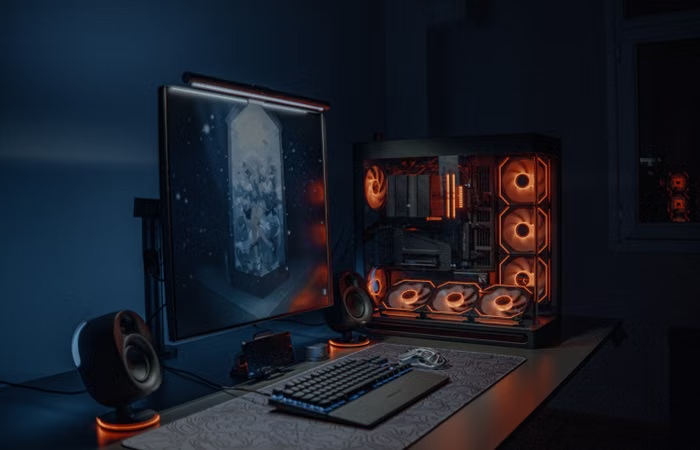
Finding the absolute best graphics cards for 1440p gaming means balancing raw power, VRAM capacity, and your monitor’s refresh rate without spending money on features you will never notice. Most PC builders agree that 2560×1440 resolution hits the ideal balance between sharp visual fidelity and high frame rates. You get crisp text, clear details in distant foliage, and smooth motion that 4K monitors struggle to maintain unless you buy ultra-expensive hardware.
The trouble starts when you look at current retail shelves. Prices fluctuate wildly. Marketing buzzwords obscure actual performance metrics. You might wonder if you need to drop eight hundred dollars just to play modern titles at maximum settings.
Here is the truth. You do not.
Let us break down what actually works in real setups.
Why 1440p is the Sweet Spot for PC Gaming
Picture sitting two feet away from a 27-inch monitor. At 1080p, you can easily spot individual pixels on desktop icons or jagged edges on distant fences. At 4K, those pixels vanish, but your graphics card has to work twice as hard to push frames, cutting your performance in half or forcing you to rely heavily on upscaling tools.
1440p solves this equation. It provides roughly 77 percent more pixels than 1080p, creating a noticeable leap in clarity. Yet, it demands significantly less rendering power than 4K.
Take a game like Cyberpunk 2077. Running it natively at 4K turns most GPUs into slideshows unless you crank up performance-saving settings. Drop that same game down to 1440p, and suddenly your frame rates climb back into the comfortable zone of eighty to one hundred frames per second.
You get the sharpness without completely melting your hardware.
Also Read: PS5 Pro vs Xbox Series X: The Ultimate Showdown
What Are the Best Graphics Cards for 1440p Gaming?
Choosing hardware requires looking at specific tiers based on your budget and what kind of games you prefer. Competitive shooters like Counter-Strike 2 demand high refresh rates. Cinematic role-playing games demand massive VRAM and heavy ray-tracing power.
High-End Performance Choices
If you want to max out every single graphics slider on a 1440p monitor running at 144Hz or higher, you need upper-tier silicon.
-
NVIDIA GeForce RTX 4070 Ti Super: This card handles native 1440p effortlessly. It comes equipped with 16GB of VRAM, which prevents stuttering in poorly optimized modern ports. When testing Alan Wake 2 with path tracing enabled, DLSS frame generation keeps the experience completely smooth.
-
AMD Radeon RX 7900 XT: If you prefer pure rasterization performance over ray-tracing gimmicks, this card delivers. Packing 20GB of VRAM, it handles heavy texture packs and modded open-world games without breaking a sweat. In standard titles like Call of Duty: Modern Warfare III, it easily clears 140 frames per second at max settings.
Mid-Range Value Champions
You do not need to empty your savings account to get great visual fidelity. The sweet spot for price-to-performance sits right in the mid-range.
-
NVIDIA GeForce RTX 4070 Super: Offering most of the performance of the older 4070 Ti at a lower price point, this card is a reliable workhorse. It runs cool, consumes reasonable power, and handles demanding titles like Baldur’s Gate 3 in Act 3 without dropping frames in dense city areas.
-
AMD Radeon RX 7800 XT: This card is arguably the most sensible purchase for mainstream builders. With 16GB of VRAM and aggressive pricing, it competes directly with NVIDIA’s mid-range options while offering better longevity for high-resolution textures. In Starfield, it maintains a solid, stutter-free sixty-plus frames per second on high presets.
How Much VRAM Do You Actually Need?
Video RAM stores the textures, geometry, and frame buffers your GPU processes in real time. Five years ago, 8GB was plenty. Today, that number causes major issues.
Modern game engines stream massive assets directly into memory. Running a game like Hogwarts Legacy at 1440p with high textures easily consumes over 10GB of VRAM. If your card runs out of space, the system swaps data to your slower system RAM, causing sudden micro-stutters that ruin gunfights or fast-paced driving scenes.
Aim for a minimum of 12GB if you plan to keep your graphics card for the next three years. If you buy a 16GB card, you insulate yourself against poorly optimized PC ports that waste memory resources.
Which Resolution Drops Frame Rates the Hardest?
Many players assume jumping from 1080p to 1440p cuts performance in half. That is a common misconception.
While rendering extra pixels requires more computational power, the real frame rate killers are advanced lighting effects. Turning on ray-traced reflections or ambient occlusion can slash your frame rate by forty percent, regardless of whether you play at 1080p or 1440p.
If you notice sluggish performance, turn off ray tracing first before lowering your base resolution. Often, standard lighting with high-preset textures looks cleaner and runs twice as fast.
What Power Supply and Setup Do You Need?
Buying a powerful GPU means nothing if your power supply unit cannot handle the sudden voltage spikes. Modern cards pull immense amounts of power during heavy combat scenes.
-
Power Supply: A quality 750-watt or 850-watt 80-Plus Gold certified power supply provides enough headroom for modern mid-to-high-end cards. Avoid cheap unbranded units that lack proper over-current protection.
-
Case Clearance: High-end cards are physically massive. Measure your PC case before ordering. A triple-fan RX 7900 XT will not fit inside a compact mid-tower if your front-mounted radiator blocks the clearance zone.
-
Monitor Pairing: Pair these cards with a 1440p IPS or OLED monitor featuring a 144Hz refresh rate or higher. Otherwise, your expensive hardware sits idle while your screen limits how many frames you can actually see.
FAQ Section
Can an 8GB graphics card handle 1440p gaming?
Yes, an 8GB card can handle 1440p if you lower texture settings and avoid modern resource-heavy titles. However, you will encounter stuttering in newer releases as games quickly outgrow smaller frame buffers.
Is DLSS or FSR necessary for 1440p?
They are not mandatory, but they are incredibly useful tools for extending the lifespan of your hardware. Turning on quality-mode upscaling boosts frame rates significantly without any noticeable loss in image sharpness.
What is the best budget graphics card for 1440p?
The AMD Radeon RX 7700 XT or an RTX 4060 Ti 16GB offer solid entry points for 1440p gaming without requiring a massive budget. They handle esports titles and lighter AAA games smoothly at high settings.
Do I need a CPU upgrade for 1440p gaming?
At 1440p, the workload shifts more toward the graphics card rather than the processor. However, if you are running an older CPU like an Intel Core i7-8700K, it will bottleneck modern cards and cause sudden frame drops in crowded multiplayer lobbies.
Conclusion
Getting the right hardware comes down to matching your budget with your actual gaming habits rather than chasing benchmark scores. Pick a card with at least 12GB of VRAM, pair it with a solid power supply, and enjoy crisp, smooth visuals without overspending.
For more Informative content, visit: EuroGamersOnline.news.